RFQ software
RFQ software for teams that buy from many suppliers
Zevko sends your request for quotation to several suppliers, collects their quotes in one place and puts them side by side, so you can award the best one and turn it into a purchase order.
- Free plan, no credit card
- Suppliers quote without an account
How it works
From a request to an awarded quote.
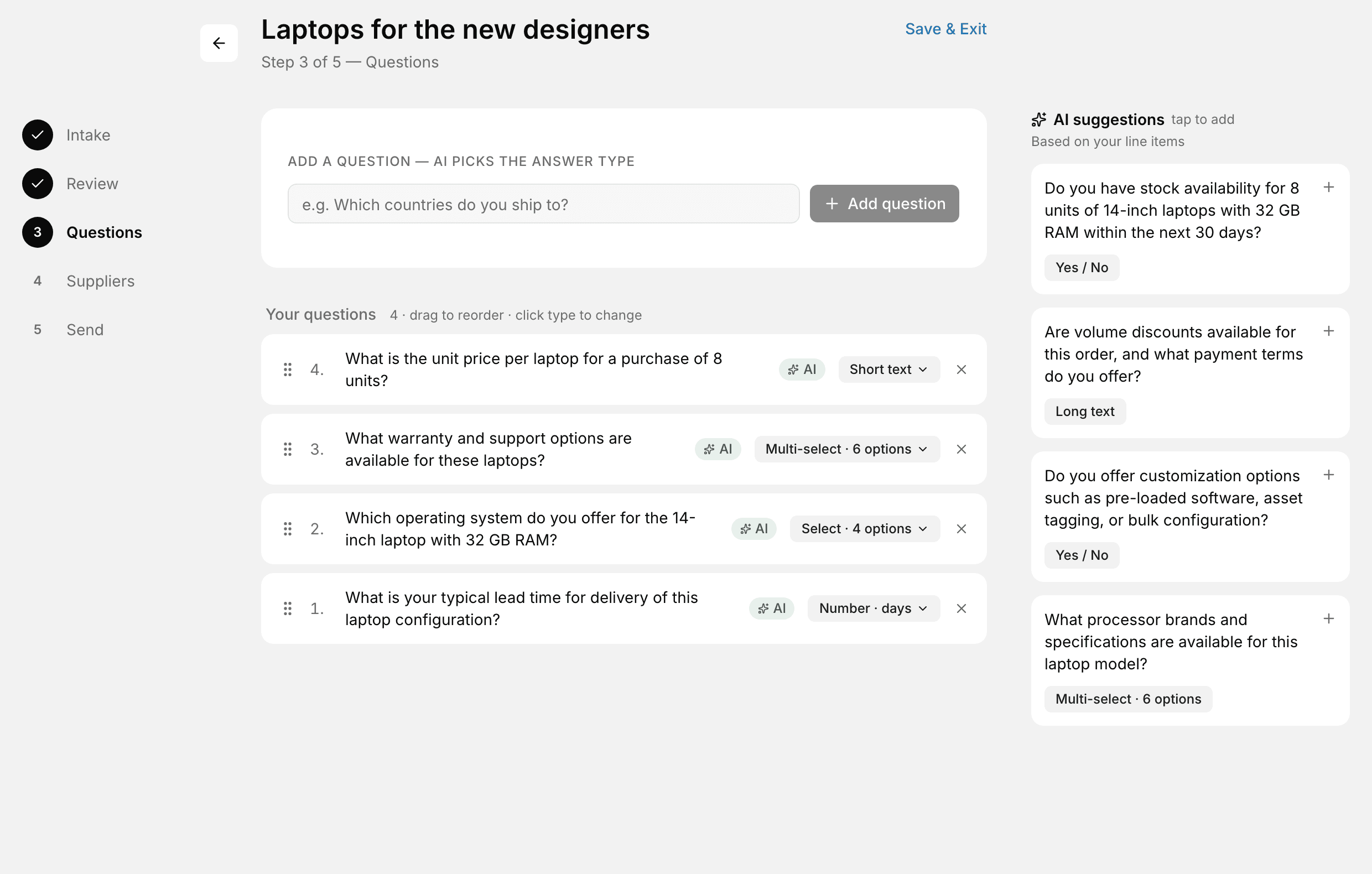
Start from a request, or from scratch
An approved purchase request becomes an RFQ in one click, with its items and quantities. Zevko's AI suggests the questions suppliers should answer, each with the right kind of answer: yes or no, a number of days, a choice.
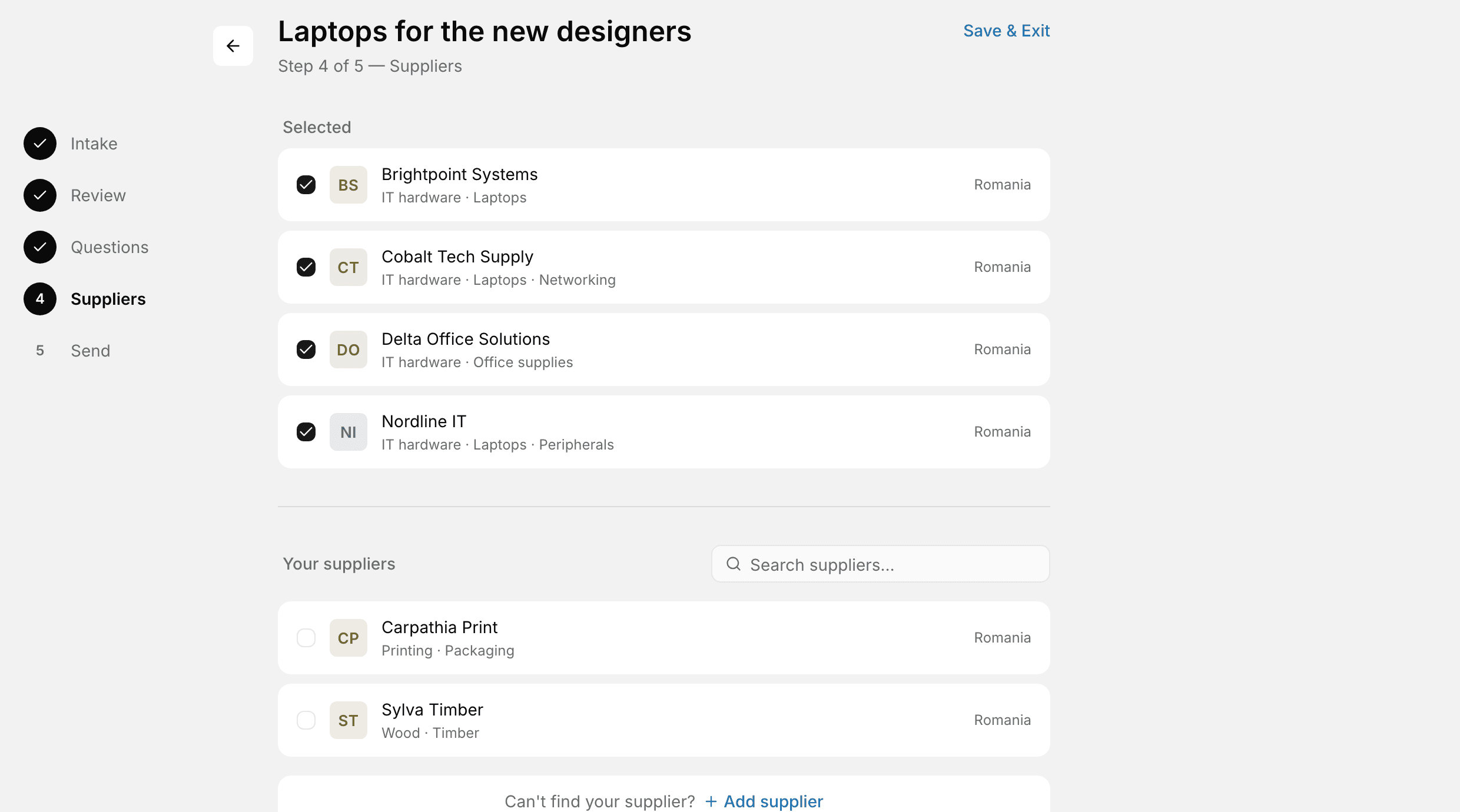
Send it to the right suppliers
Zevko recommends suppliers from your list by what they sell. Each one gets an email with a private link, and a reminder 48 and 24 hours before the deadline if they haven't quoted.
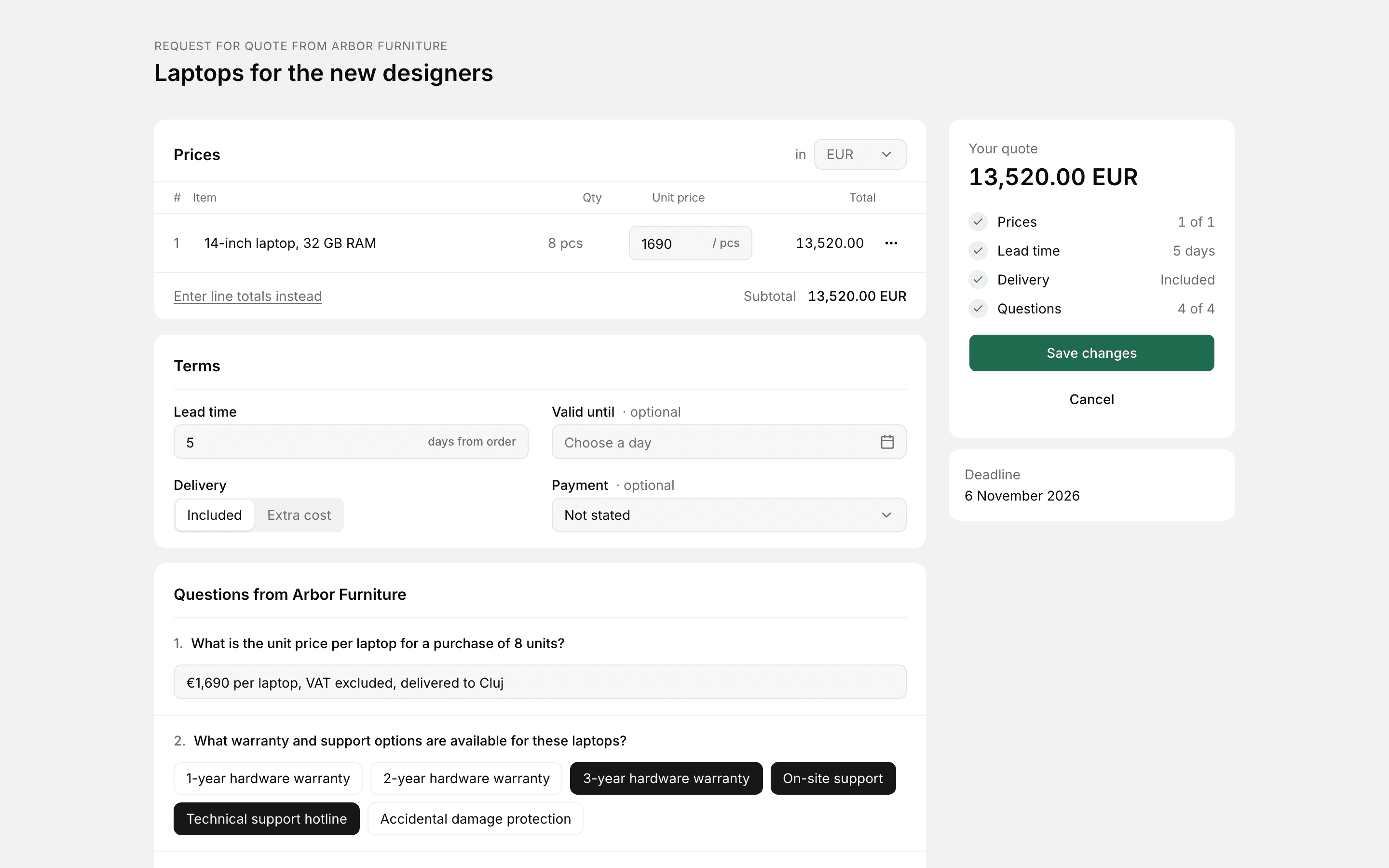
Suppliers quote without an account
They open the link, price each line, set their lead time, delivery and payment terms, answer your questions and attach their own files. A supplier who can't quote declines with a reason, so you're not left waiting.
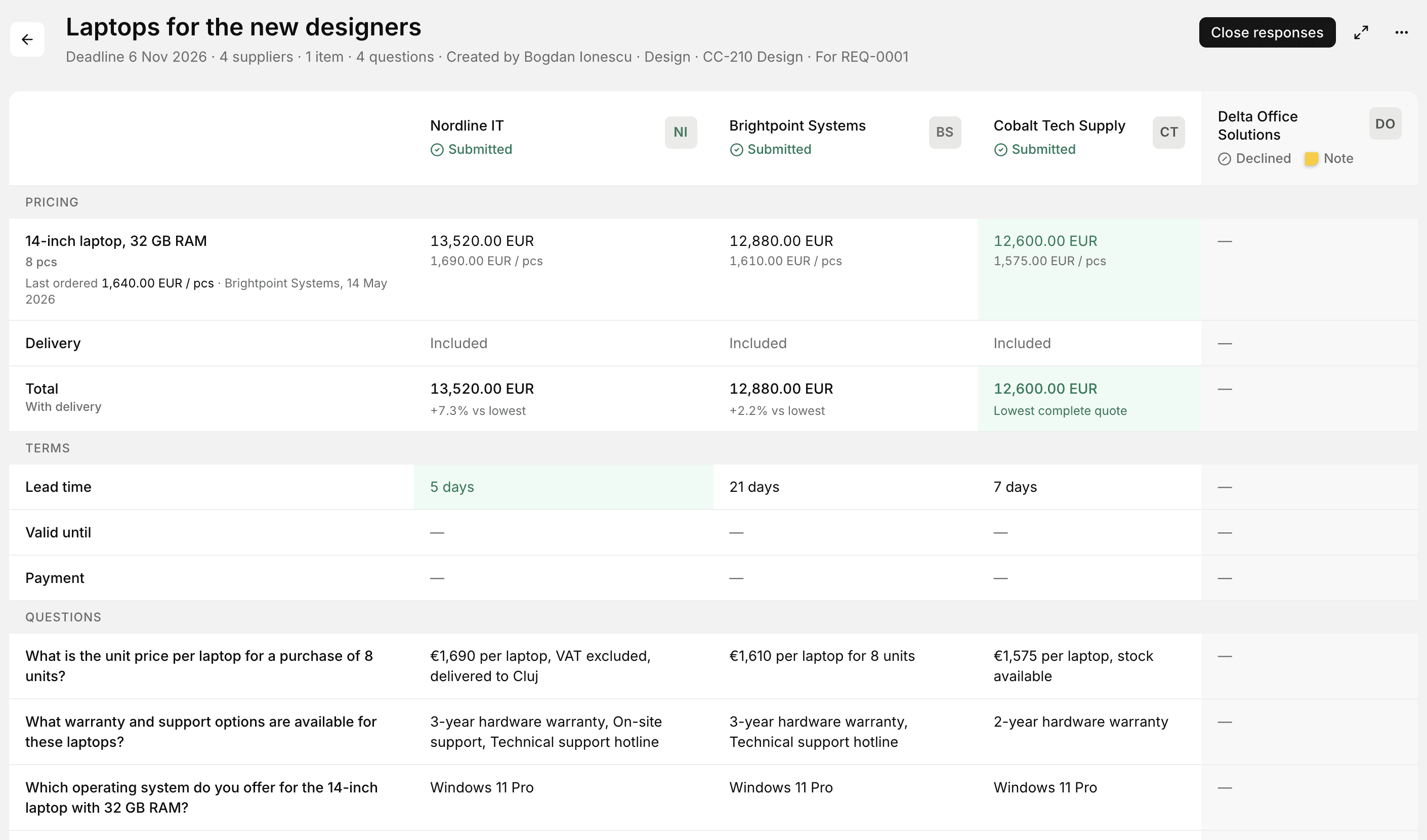
Compare and award
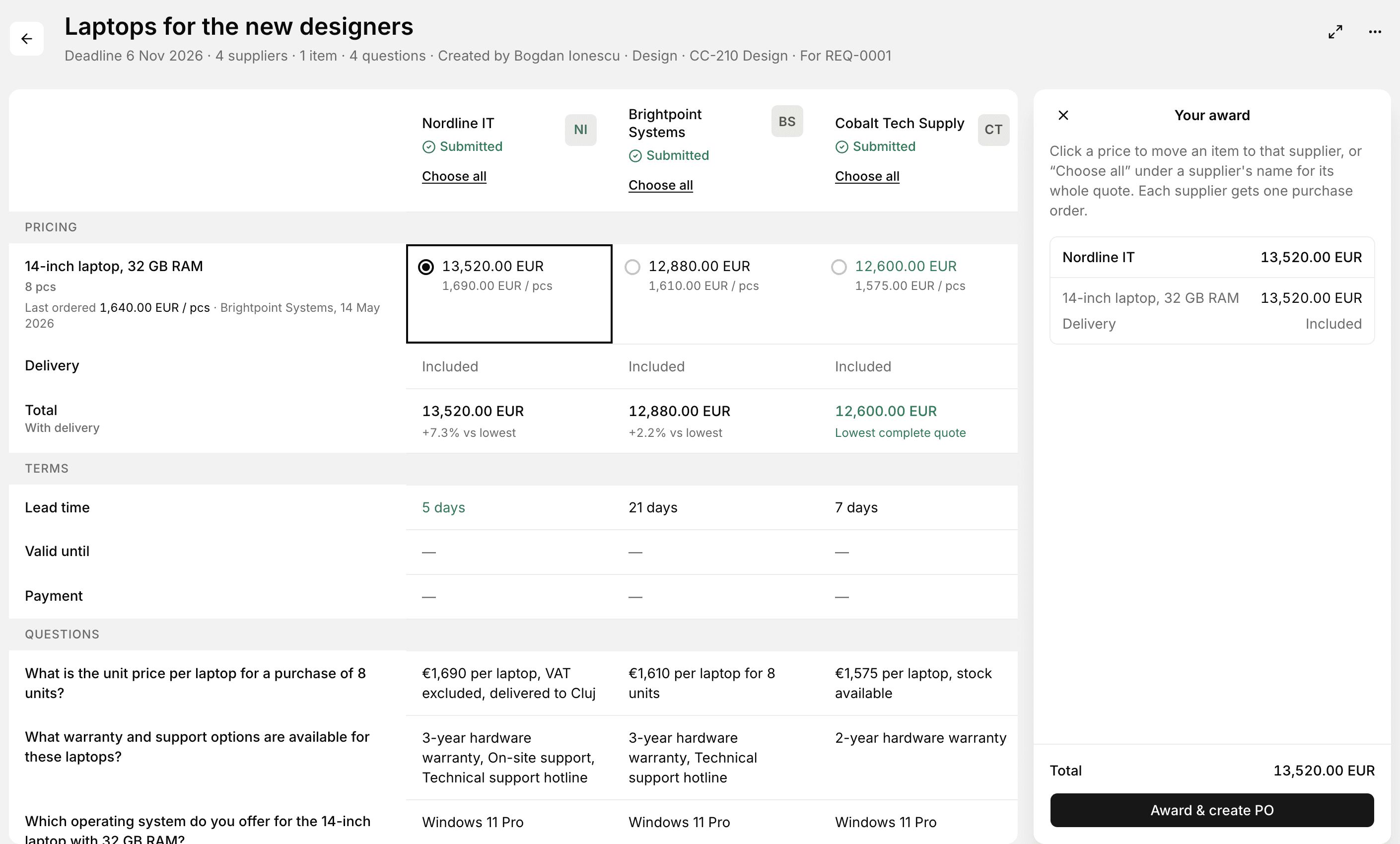
Every quote side by side, with what you paid last time next to each item. Award one supplier, or move items between suppliers: each gets its own purchase order, and the others are told.
Approvals before and after the RFQ.
Requests and purchase orders follow your rules, by amount or kind of purchase, to a person, a role such as Finance, or the head of the department.
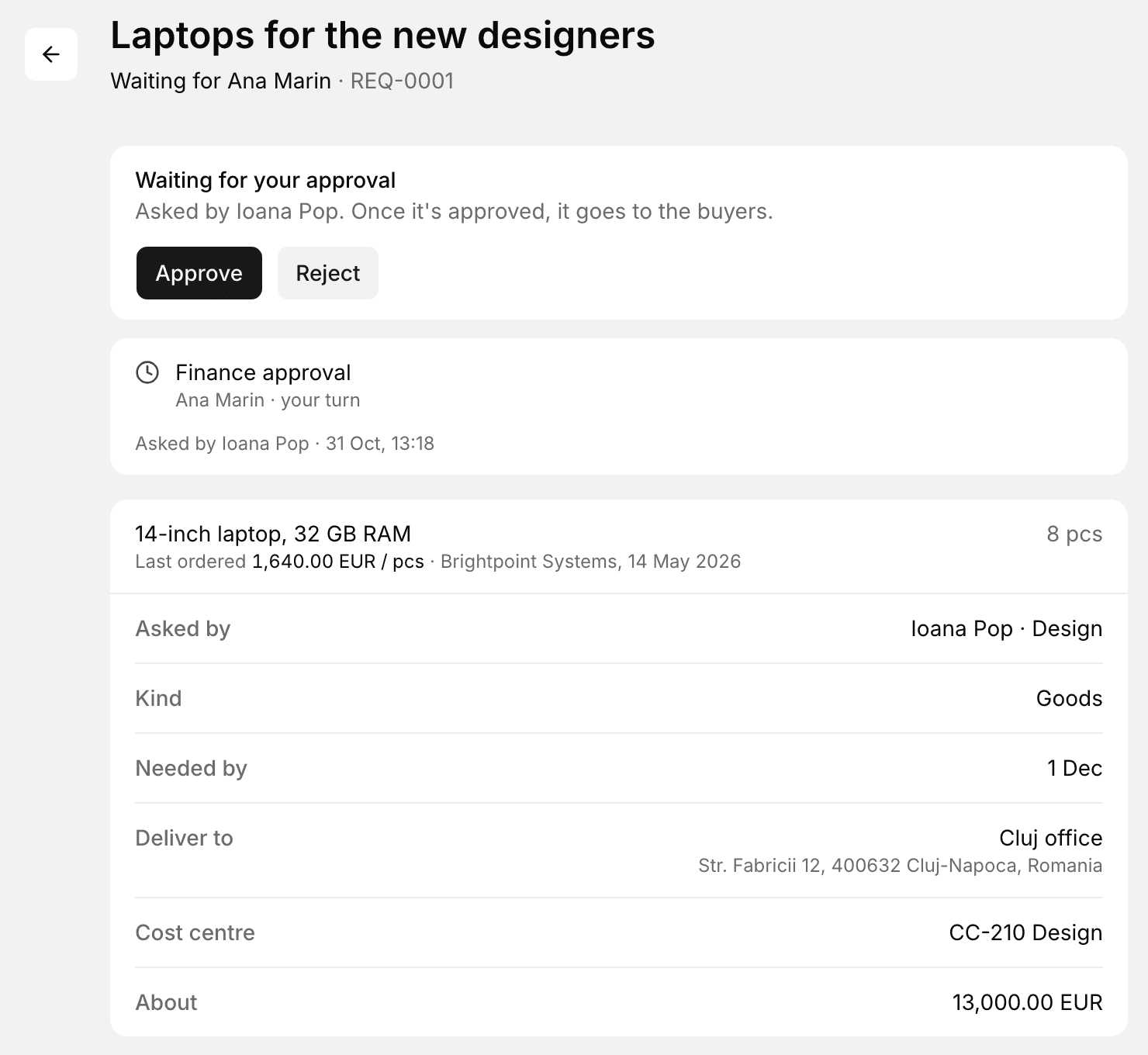
Requests come approved
Anyone asks for what they need; the approver sees what it cost last time before saying yes.
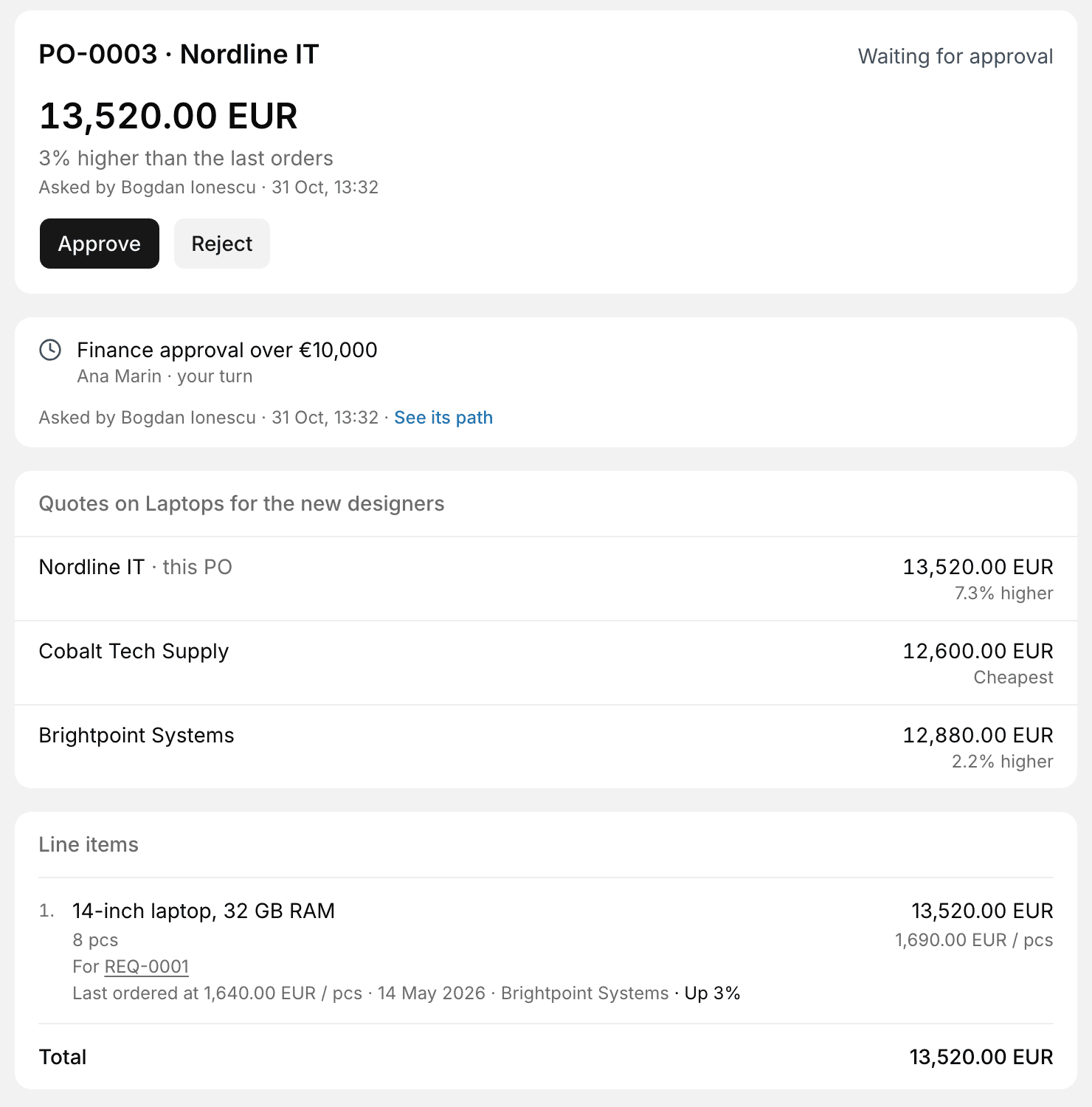
Finance sees the whole round
The order, the other quotes in the round, and how it compares with the last orders, on one screen.
Why not email and spreadsheets?
| Topic | Email and spreadsheets | Zevko |
|---|---|---|
| Collecting quotes | Replies spread across inboxes and attachments | One link per supplier, every quote in one place |
| Comparing | Numbers retyped into a spreadsheet | Side by side as they arrive, with the last price paid |
| Questions | Asked differently in every email | The same questions for everyone, answers in the comparison |
| Approval | A forwarded email and a reply-all | The right approver by amount, with every quote in view |
| The record | Whoever kept the thread | Who asked, who approved and who awarded, kept with the order |
Start on the free plan
Free: 2 RFQs a month and up to 15 suppliers. Pro: €39 a month for the whole organisation, unlimited RFQs and suppliers, up to 3 team members.